Messages that send themselves
Request received, confirmation, a reminder 72 and 24 hours before, rescheduling and cancellation. By email or WhatsApp, from the clinic's own number.
Booking and e-charts for dental clinics
dentamie is a booking system with an e-chart. Patients book on the clinic's website. You confirm with one tap, the message before the visit goes out on its own, and the chart remembers every tooth.
Monday, 13 October
02:14
A morning without a system
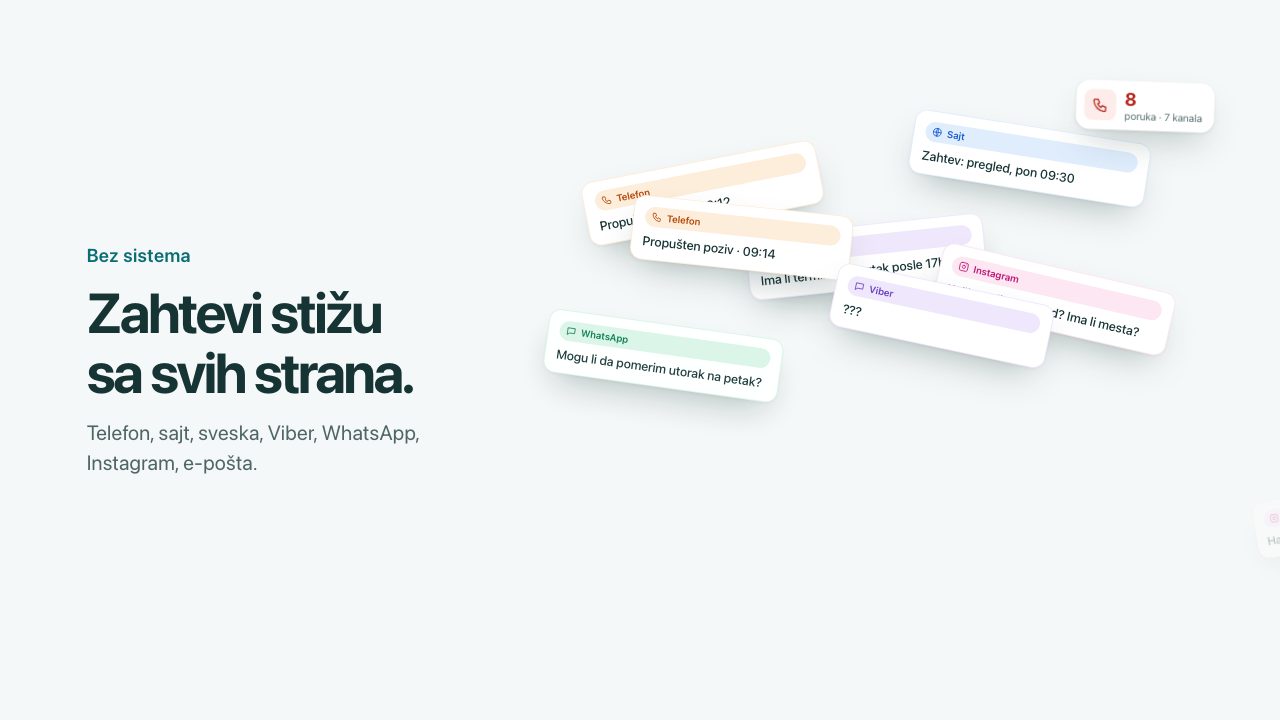
Phone, website, notebook, Viber, WhatsApp, Instagram, email. Every channel is one more place where an appointment can get lost.
Missed call · 09:14
Request: check-up, Mon 09:30
Any slot on Thursday after 5 pm?
Call Ana P. on Monday?
Can I move Tuesday to Friday?
How much is a check-up? Any space?
Cancelling tomorrow's appointment.
Now the same morning, with dentamie.
One appointment
Follow the same appointment through the clinic: from the morning confirmation to the chart entry.
08:05Reception
Last night's request is waiting in the schedule. One tap, and the patient gets a confirmation with the date, time, address and a link.
Two days beforePatient
The patient gets a reminder 72 and 24 hours before the visit, by email or WhatsApp. The message carries only the date, time, address and a link.
11:40Reception
When a patient cancels, the slot goes back on offer. Reception sees the waitlist and chooses whom to call first.
09:30The day of the visit
The “Today” board shows who is expected, who is in the waiting room, who is in the chair and who is done. One tap changes the state.
E-chart
From the patient list to an X-ray under lock. This is one patient’s chart, part by part.
Last visit, next appointment and how far the treatment plan has got, for every patient. Search by name or phone, and a list of those who haven’t been in for over six months.
Every tooth with its finding, in colour: caries, filling, crown, missing tooth. You see at a glance what is done and what is waiting.
Tap the tooth, then the surface: mesial, occlusal, distal, vestibular, lingual. Finding and ICD-10 diagnosis go in without typing.
Chart history by date: what was done, on which tooth and by whom. Every dentist at the clinic sees the same record.
Each step has a state: done, in the chair today, booked, next up. When a visit closes, the next step is known.
X-rays sit in protected storage. A link to an X-ray is valid for five minutes, and every opening is logged in the audit.
Try it yourself
Play one appointment from three roles. This is an example: nothing is sent and nothing is stored.
On the phone, pick a service, a dentist and a time, then send the request.
Example ClinicStep 1 of 4
Why are you coming in?
The request arrives at 02:14. You confirm it at 08:05, with one tap. The reminder goes out on its own. At 09:40 the finding is in the chart. Nobody picked up the phone.
Film
The same day, from request to chart, recorded in a demo account.
Built in a clinic
dentamie was built in collaboration with a real dental clinic, shaped by the wishes and experience of the dentists who work there every day: at the front desk, in the chair and in the chart.
All features
The six things people ask about most, then the full list by who uses it.
Request received, confirmation, a reminder 72 and 24 hours before, rescheduling and cancellation. By email or WhatsApp, from the clinic's own number.
Busy time in the calendar closes slots on the website. New appointments appear in the calendar within seconds, with no patient data.
Serbian and English: price list, services, team and articles.
The schedule on your phone, from the home screen. No app store.
The emergency button doesn't offer a slot. It calls the clinic.
A link to an X-ray is valid for five minutes, and every opening is logged.
Security
A chart is health data. That's why access rules live in the database itself, not only on the screen.
Switching and support
Timeline: 4–5 weeks
30 minutes. You describe your day, we say which parts of it the system solves and which it does not.
What is included, the price and the lead time. No “we will get back to you with an estimate”.
You send the copy and photos, or we write them together. You see a working version before anything goes public.
Domain, database, accounts and code are in your name from day one. Nothing is locked.
Paper chartsbecomesE-chart
We photograph and transcribe them, and you approve each one before it is saved.
Existing websitebecomesNew clinic website
Texts, pages and photos move over, and old addresses point to the new ones.
Domain, database, accountsbecomesIn your name
From day one. If you leave, everything goes with you.
Write to contact@nexamie.com
How we start
A 30-minute demo, by video or at your clinic, on your own clinic as the example. Then an offer for your number of dentists, from the same price list for everyone.
30 minutes, by video or at your clinic. Booking, schedule and chart with your clinic’s name.
For your number of dentists, from the same price list for every clinic. No haggling, no hidden items.
The build takes 4–5 weeks. The first month of the subscription is free.
dentamie for clinics
€1,290build, once · + from €79 a month, by the number of dentists
Timeline: 4–5 weeks · Full price list
1 dentist · Basic Care · total per month€79
1 dentist · Standard Care · total per month€129
1 dentist · Full Care · total per month€219
2–3 dentists · Basic Care · total per month€129
2–3 dentists · Standard Care · total per month€179
2–3 dentists · Full Care · total per month€269
4–6 dentists · Basic Care · total per month€199
4–6 dentists · Standard Care · total per month€249
4–6 dentists · Full Care · total per month€339
The monthly price includes hosting, updates, support and Basic Care (1 h of changes a month). Email and WhatsApp reminders are included; SMS is billed by use.
Enter your own numbers. We do not promise how many empty slots dentamie will fill; we show how many it takes to pay for itself.
Questions
No. Patients book on the clinic's website, without an account, and get messages by email or WhatsApp. Only staff add the app to their home screen.
The request lands in the schedule and waits for your confirmation. If nobody confirms it, it cancels itself 24 hours before the slot.
dentamie comes with a website, because booking is part of it. You send the text and photos or we write them together, and the domain stays in your name.
In the European Union, in Frankfurt. Every clinic has its own database, and access depends on the staff member's role.
They move into the e-chart by photographing and manual transcription, with your approval before import. We agree the pace based on how many charts there are.
4–5 weeks from agreement to handover. You see a working version before anything goes public.
Booking and e-charts for dental clinics. By Nexamie.
Book a demoA 30-minute call. You pick the time yourself.